Why every site I build comes with its own admin panel
Most small-business sites are finished the day they launch, then slowly drift out of date. Here's why I build a simple, made-to-fit admin panel into every project.
 Jason Shipps
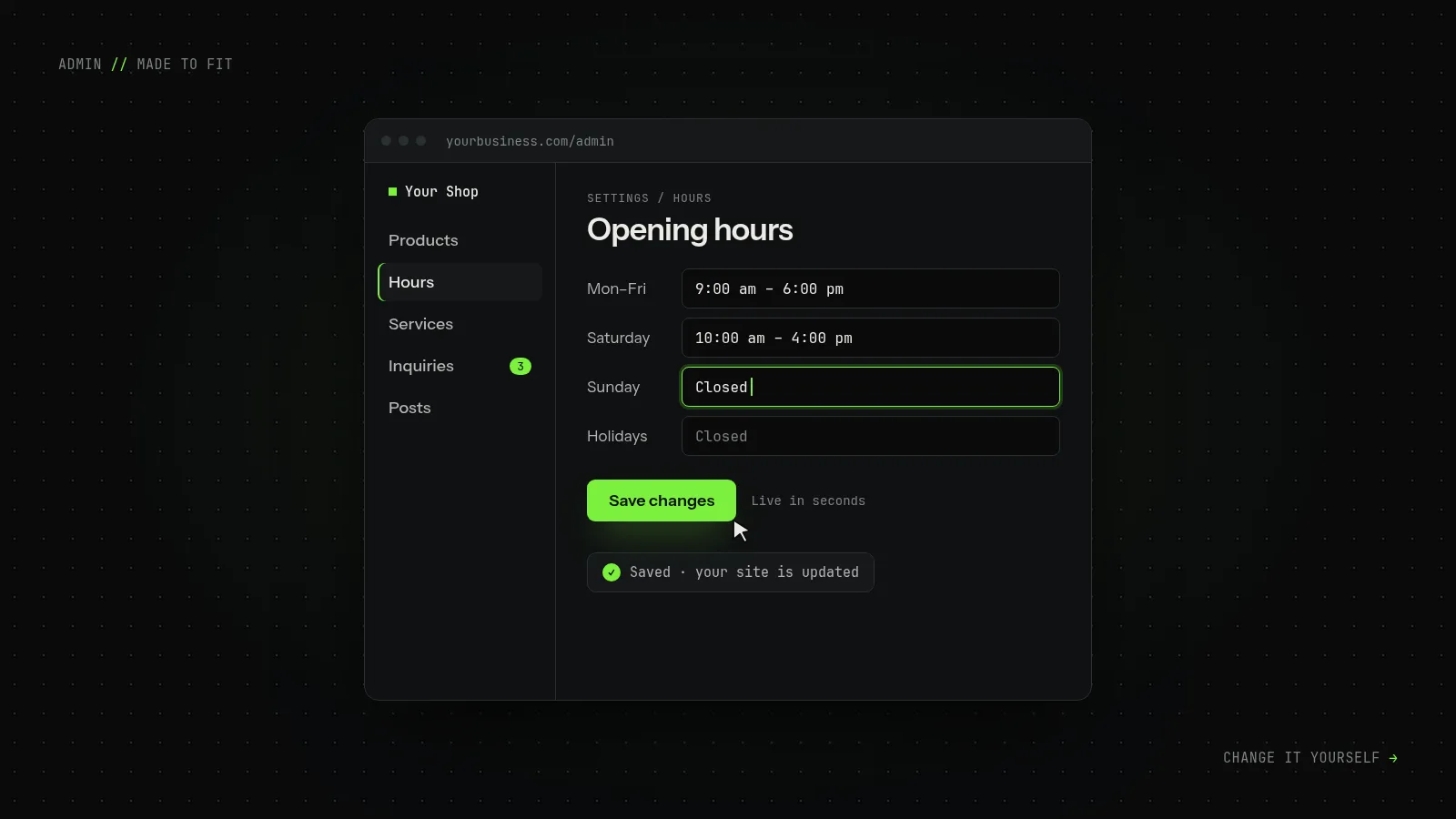
Most small-business websites are at their best the day they launch. Then the hours change, a product sells out, or there's a new photo to add, and the site that looked great in the proposal turns into a small, recurring chore.
Usually there are three ways to handle it: email the person who built it and wait, log in to a dashboard with forty menus and hope nothing breaks, or leave the old information up. Most people end up doing the third. That's how a site still says "Open Sundays" two years after the shop stopped opening on Sundays.
So every site I build comes with its own admin panel, made for that business and nothing else.
What "your own admin panel" means
When you log in, you see what your business actually has. A bike shop sees services, labor prices and hours. A shop selling handmade goods sees products and stock. A consultant sees case studies and an inquiry inbox.
You don't see plugin update warnings, theme settings, or fields for features you'll never use. If a field is on the screen, your site uses it.
Changing your hours looks like this: sign in, open Hours, type the new times, press Save. That's it, and the change is live.
Most panels I build also include:
- Plain-language labels. "Opening hours", not "Custom field group 3".
- Drafts. Work on a change and publish it when it's ready, not halfway through.
- Revision history. If an edit goes wrong, you can roll back to an earlier version yourself.
- One inbox for inquiries. Contact form messages are saved in the panel, so a lost email never means a lost customer.
- Two-factor sign-in. Your website is a business asset. Lock it like one.
Why not use a big, off-the-shelf CMS?
Large content management systems are useful, and sometimes they're the right choice. If you need a big team of editors or hundreds of add-ons, I'll tell you so.
But most small businesses need to change a price, post an update, and get back to work. A system built to serve every kind of website carries a lot of weight one business never uses: plugins to keep updated, settings to learn, and more ways for things to break.
A panel built for one site is smaller, and smaller means:
- Faster pages, because nothing loads that the site doesn't need.
- Less to update, so fewer surprise breakages.
- Less to learn. Most owners are comfortable after one short walkthrough.
"What happens if you get hit by a bus?"
It's a fair question, and you should ask it of anyone who builds your site.
My code is plain and well organized, and it doesn't depend on a framework that might be abandoned next year. Your content lives in a single database file that's easy to back up and move. Any competent developer could pick it up. I'd rather earn your repeat business than lock you in.
What it looks like in practice
For Home Crafts by Karin, products and inventory are managed from one panel, and checkout runs through Stripe.
My own sites work the same way. WSKY Ride has a custom admin for posts and reviews, and this site has one too. It's where I wrote this post.
The short version
A website isn't a brochure you print once. You'll need to change it, often at inconvenient times. If you can't do that yourself, in a few minutes and without worrying about breaking something, the site slowly drifts out of date.
So I build the panel along with the site, and I keep it simple enough that you'll actually use it.
If that sounds like what your business needs, tell me about the project. You'll get next steps, or an honest no.